Deprecated: strpos(): Passing null to parameter #1 ($haystack) of type string is deprecated in /www/wwwroot/phxin.top/usr/themes/Joe/public/config.php on line 19

Deprecated: strpos(): Passing null to parameter #1 ($haystack) of type string is deprecated in /www/wwwroot/phxin.top/usr/themes/Joe/public/config.php on line 20

Deprecated: strpos(): Passing null to parameter #1 ($haystack) of type string is deprecated in /www/wwwroot/phxin.top/usr/themes/Joe/public/config.php on line 21

Deprecated: strpos(): Passing null to parameter #1 ($haystack) of type string is deprecated in /www/wwwroot/phxin.top/usr/themes/Joe/public/config.php on line 22

Deprecated: strpos(): Passing null to parameter #1 ($haystack) of type string is deprecated in /www/wwwroot/phxin.top/usr/themes/Joe/public/config.php on line 23
WIN10安装VLFeat工具箱教程 - Hello World

WIN10安装VLFeat工具箱教程

清歌
2023-12-04 / 0 评论 / 0 阅读 / 正在检测是否收录...

WIN10安装VLFeat工具箱教程

  1. 下载VLFeat
下载地址

下载后解压到文件夹,文件夹最好不要含有中文防止报错,win安装下载binary package即可

  1. 添加路径

我解压之后的路径是D:\software\vlfeat-0.9.21\toolbox, 在matlab命令行里输入

addpath('D:\software\vlfeat-0.9.21\toolbox');% 添加您的VLFeat工具箱路径
vl_setup;
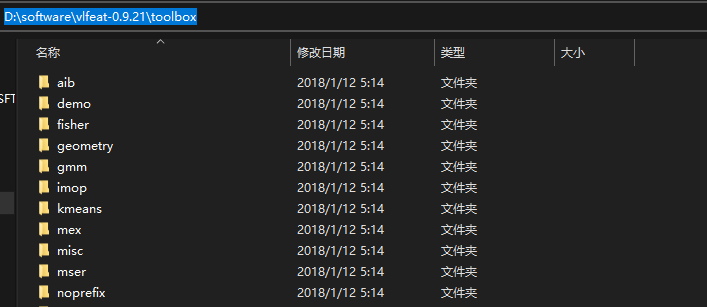
image-20231204194515777

  1. 测试安装

使用下面的命令来进行测试:

vl_version verbose
  1. 永久添加路径(可选)

如果您希望MATLAB在每次启动时都能够访问VLFeat工具箱,可以将上述添加路径的命令添加到您的MATLAB启动脚本(如startup.m文件)中。

0

评论 (0)

取消