Deprecated: strpos(): Passing null to parameter #1 ($haystack) of type string is deprecated in /www/wwwroot/phxin.top/usr/themes/Joe/public/config.php on line 19

Deprecated: strpos(): Passing null to parameter #1 ($haystack) of type string is deprecated in /www/wwwroot/phxin.top/usr/themes/Joe/public/config.php on line 20

Deprecated: strpos(): Passing null to parameter #1 ($haystack) of type string is deprecated in /www/wwwroot/phxin.top/usr/themes/Joe/public/config.php on line 21

Deprecated: strpos(): Passing null to parameter #1 ($haystack) of type string is deprecated in /www/wwwroot/phxin.top/usr/themes/Joe/public/config.php on line 22

Deprecated: strpos(): Passing null to parameter #1 ($haystack) of type string is deprecated in /www/wwwroot/phxin.top/usr/themes/Joe/public/config.php on line 23
Ubuntu18.04更新(安装)Cmake新版本 - Hello World

Ubuntu18.04更新(安装)Cmake新版本

清歌
2023-03-11 / 0 评论 / 0 阅读 / 正在检测是否收录...

简介

因为安装 cartographer过程中Cmake版本太低,无法进行编译。所以要对Cmake进行升级,找了好多教程都没具体的讲解,大多数都不够详细。在安装踩了好多坑才成功更新了Cmake工具,跟大家分享一下安装的详细过程!

更新Cmake工具并不需要卸载原来低版本的Cmake

安装或更新Cmakei详细过程

查看Cmake版本

cmake -version

下载并解压cmake安装包

方式1:命令行下载

#下载Cmake
wget https://github.com/Kitware/CMake/releases/download/v3.21.4/cmake-3.21.4-linux-x86_64.tar.gz
#找到下载的Cmake并解压
tar -xzvf cmake-3.21.4-linux-x86_64.tar.gz

方式2:直接下载
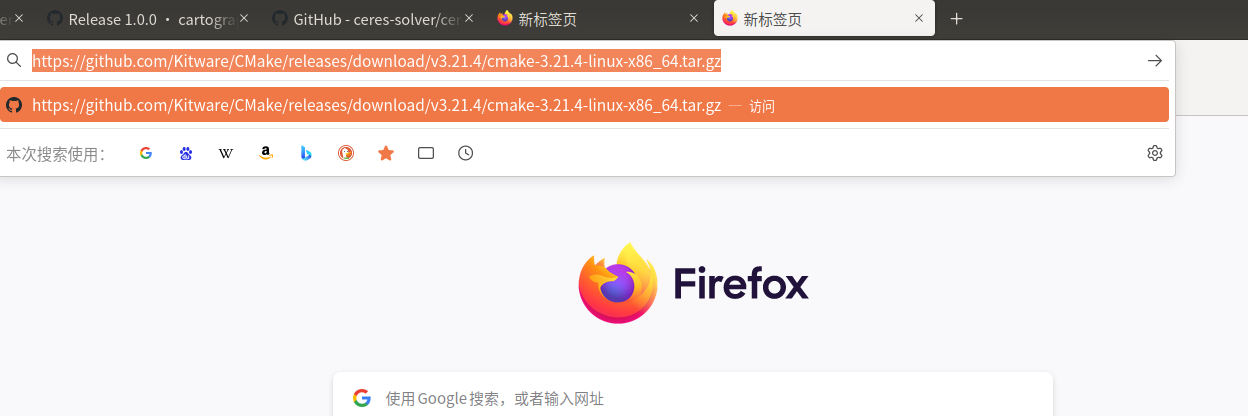
Snipaste_2023-03-10_14-32-24

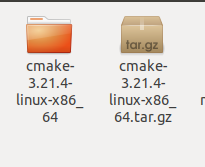
最终结果

Snipaste_2023-03-10_14-38-58

建立软链接

sudo ln -sf cmake-3.21.4-linux-x86_64/bin/* /usr/bin/   

修改.bashrc文件

# 进入~/.bashrc
sudo gedit ~/.bashrc
# 输入以下内容
export  PATH=$PATH:/opt/cmake-3.21.4/bin
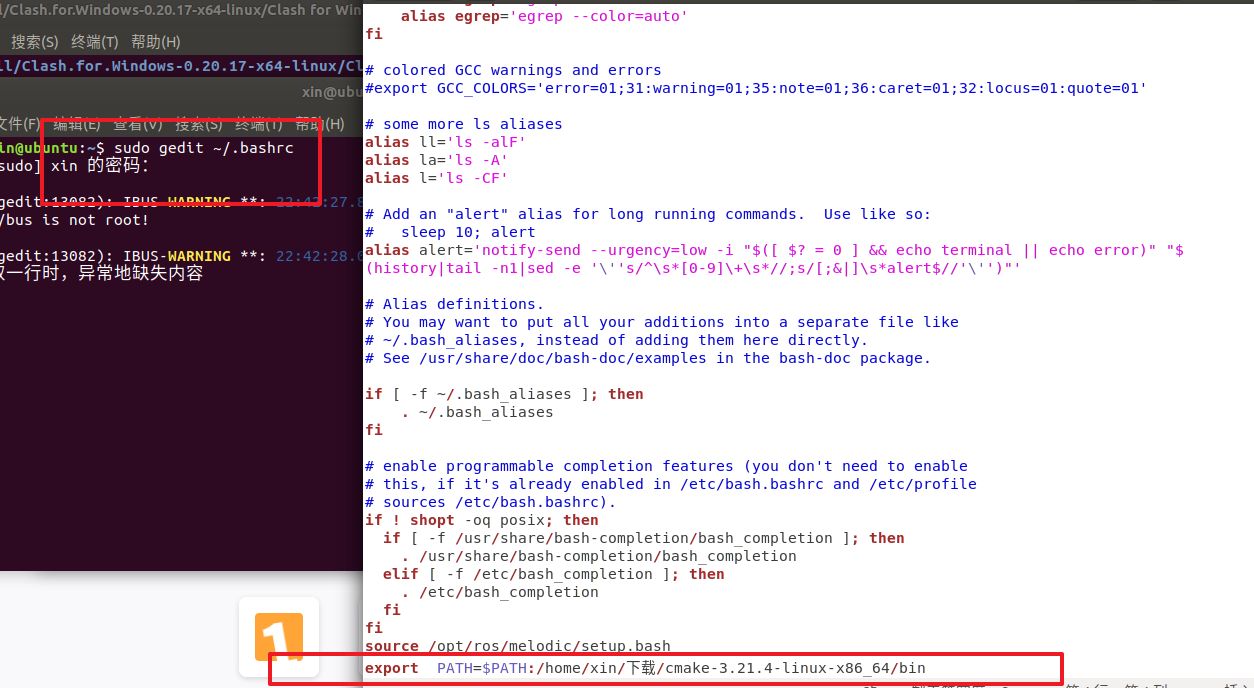
Snipaste_2023-03-10_14-43-30

更新更改

source ~/.bashrc 
0

评论

博主关闭了当前页面的评论