简介
使用xacro优化上一节案例中驱动轮实现,需要使用变量封装底盘的半径、高度,使用数学公式动态计算底盘的关节点坐标,使用 Xacro 宏封装轮子重复的代码并调用宏创建两个轮子(注意: 在此,演示 Xacro 的基本使用,不必要生成合法的 URDF )。
PS:xacro类似于一个可以套用的函数,替换参数实现代码的简化作用
准备
创建功能包,导入 urdf 与 xacro。
Xacro实现过程
1.编写xacro代码文件
2.Xacro转换为urdf
2.1进入工作目录
进入xacro所在的目录下
2.2执行代码
#将xacro格式的xxx文件转换为urdf格式的yyy文件
rosrun xacro xacro xxx.xacro > yyy.urdf
实现过程
xacro代码编写
<robot name="mycar" xmlns:xacro="http://wiki.ros.org/xacro">
    <!-- 属性封装 -->
    <xacro:property name="wheel_radius" value="0.0325" />
    <xacro:property name="wheel_length" value="0.0015" />
    <xacro:property name="PI" value="3.1415927" />
    <xacro:property name="base_link_length" value="0.08" />
    <xacro:property name="lidi_space" value="0.015" />

    <!-- 宏 -->
    <xacro:macro name="wheel_func" params="wheel_name flag" >
        <link name="${wheel_name}_wheel">
            <visual>
                <geometry>
                    <cylinder radius="${wheel_radius}" length="${wheel_length}" />
                </geometry>

                <origin xyz="0 0 0" rpy="${PI / 2} 0 0" />

                <material name="wheel_color">
                    <color rgba="0 0 0 0.3" />
                </material>
            </visual>
        </link>

        <!-- 3-2.joint -->
        <joint name="${wheel_name}2link" type="continuous">
            <parent link="base_link"  />
            <child link="${wheel_name}_wheel" />
            <!--
                x 无偏移
                y 车体半径
                z z= 车体高度 / 2 + 离地间距 - 车轮半径

            -->
            <origin xyz="0 ${0.1 * flag} ${(base_link_length / 2 + lidi_space - wheel_radius) * -1}" rpy="0 0 0" />
            <axis xyz="0 1 0" />
        </joint>

    </xacro:macro>
    <xacro:wheel_func wheel_name="left" flag="1" />
    <xacro:wheel_func wheel_name="right" flag="-1" />
</robot>
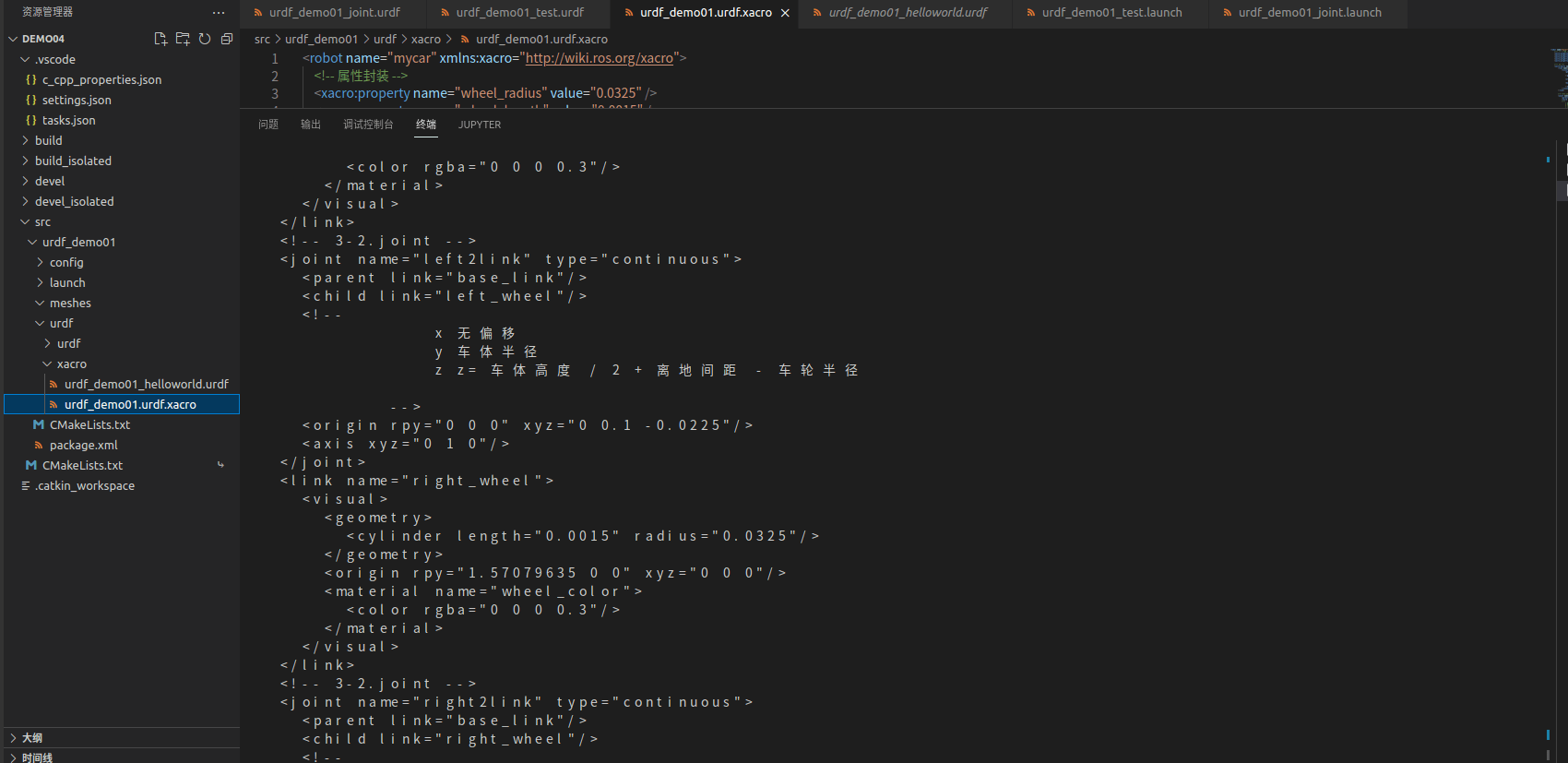
Xacro转换为urdf
<?xml version="1.0" ?>
<!-- =================================================================================== -->
<!-- |    This document was autogenerated by xacro from test.xacro                     | -->
<!-- |    EDITING THIS FILE BY HAND IS NOT RECOMMENDED                                 | -->
<!-- =================================================================================== -->
<robot name="mycar">
  <link name="left_wheel">
    <visual>
      <geometry>
        <cylinder length="0.0015" radius="0.0325"/>
      </geometry>
      <origin rpy="1.57079635 0 0" xyz="0 0 0"/>
      <material name="wheel_color">
        <color rgba="0 0 0 0.3"/>
      </material>
    </visual>
  </link>
  <!-- 3-2.joint -->
  <joint name="left2link" type="continuous">
    <parent link="base_link"/>
    <child link="left_wheel"/>
    <!--
                x 无偏移
                y 车体半径
                z z= 车体高度 / 2 + 离地间距 - 车轮半径

            -->
    <origin rpy="0 0 0" xyz="0 0.1 -0.0225"/>
    <axis xyz="0 1 0"/>
  </joint>
  <link name="right_wheel">
    <visual>
      <geometry>
        <cylinder length="0.0015" radius="0.0325"/>
      </geometry>
      <origin rpy="1.57079635 0 0" xyz="0 0 0"/>
      <material name="wheel_color">
        <color rgba="0 0 0 0.3"/>
      </material>
    </visual>
  </link>
  <!-- 3-2.joint -->
  <joint name="right2link" type="continuous">
    <parent link="base_link"/>
    <child link="right_wheel"/>
    <!--
                x 无偏移
                y 车体半径
                z z= 车体高度 / 2 + 离地间距 - 车轮半径

            -->
    <origin rpy="0 0 0" xyz="0 -0.1 -0.0225"/>
    <axis xyz="0 1 0"/>
  </joint>
</robot>
实现效果