简介
通过rosbag实现对于数据的记录,生成.bag文件,再通过rosbag解析文件包含的信息。
代码实现
写入数据
#include "ros/ros.h"
#include "rosbag/bag.h"
#include "std_msgs/String.h"
/*

需求:使用rosbag向磁盘写入数据(话题+消息)
流程:
            1.导包
            2.初始化
            3.创建rosbag对象
            4.打开文件流(打开才可以读写数据)
            5.写/读数据
            6.关闭文件流
*/

int main(int argc, char  *argv[])
{
    //初始化
    setlocale(LC_ALL,"");
    ros::init(argc,argv,"rosbag_write");
    ros::NodeHandle nh;
    //创建rosbag对象
    rosbag::Bag bag;
    //打开文件流
        //参数1:文件名称   参数2:操作方式(读/写/追加)
    bag.open("hello.bag",rosbag::bagmode::Write);
    //写数据
    std_msgs::String msg;
    msg.data="this is a test!";
        //参数1:话题名称   参数2:时间戳   参数3:消息主体
    bag.write("/chatter",ros::Time::now(),msg);
    bag.write("/chatter",ros::Time::now(),msg);
    bag.write("/chatter",ros::Time::now(),msg);
    bag.write("/chatter",ros::Time::now(),msg);
    //关闭文件流
    bag.close();
    return 0;
}
写入基本现象
会在目录向生成.bag文件
Snipaste_2023-01-07_14-13-21.png
读取数据
#include "ros/ros.h"
#include "rosbag/bag.h"
#include "std_msgs/String.h"
#include "rosbag/view.h"
/*

需求:使用rosbag向磁盘写入数据(话题+消息)
流程:
            1.导包
            2.初始化
            3.创建rosbag对象
            4.打开文件流(打开才可以读写数据)
            5.写/读数据
            6.关闭文件流
*/

int main(int argc, char  *argv[])
{
    //初始化
    setlocale(LC_ALL,"");
    ros::init(argc,argv,"rosbag_write");
    ros::NodeHandle nh;
    //创建rosbag对象
    rosbag::Bag bag;
    //打开文件流
        //参数1:文件名称   参数2:操作方式(读/写/追加)
    bag.open("hello.bag",rosbag::bagmode::Read);
    //读数据
   //取出话题、时间戳和消息内容
   //可以先获取消息的集合,再迭代取出消息的字段
   for(auto &&m :rosbag::View(bag))
   {
            std::string topic =m.getTopic();
            ros::Time time= m.getTime();
            std_msgs::StringPtr p=m.instantiate<std_msgs::String>();
            ROS_INFO("解析的内容,话题:%s,时间戳:%.2f,消息值:%s",
                                                    topic.c_str(),
                                                    time.toSec(),
                                                    p->data.c_str());
   }
    //关闭文件流
    bag.close();
    return 0;
}
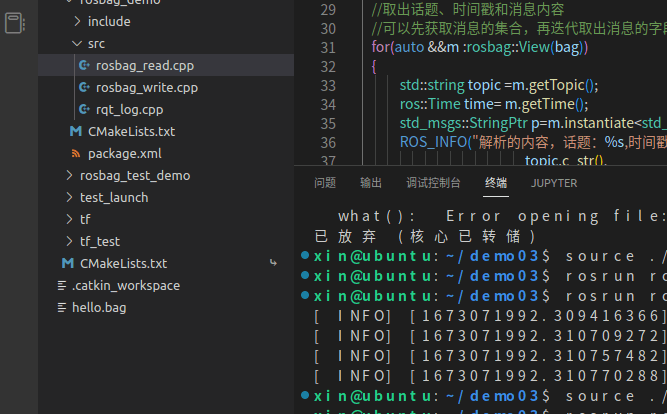
读取基本现象